Build your first route in minutes.

Build your first route fast and show up with real contacts in hand.

Lightning Leads gives you one-tap smart routes, built-in contact pulling, and clear guidance so you spend less time planning and more time knocking.

Running a team? Plan a team route rollout

Speed to first knock

See better streets fast and get to a workable route without burning the first hour on cold turf.

Contact pulling built in

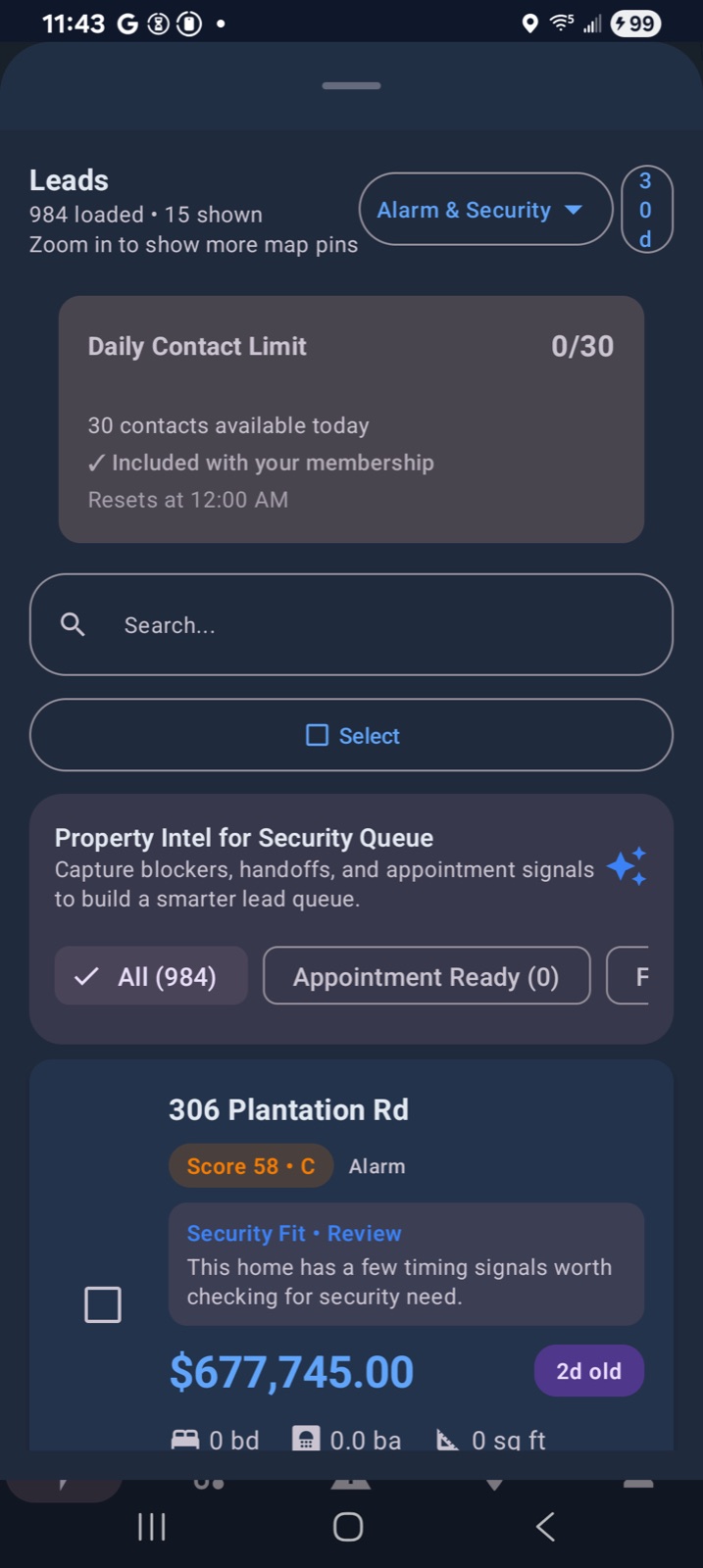
When a stop matters, reveal owner or customer phone and email from the same route workflow.

Door relevance that helps

Start with recent activity and tighter clusters so reps spend more time on doors worth working.

Field workflow

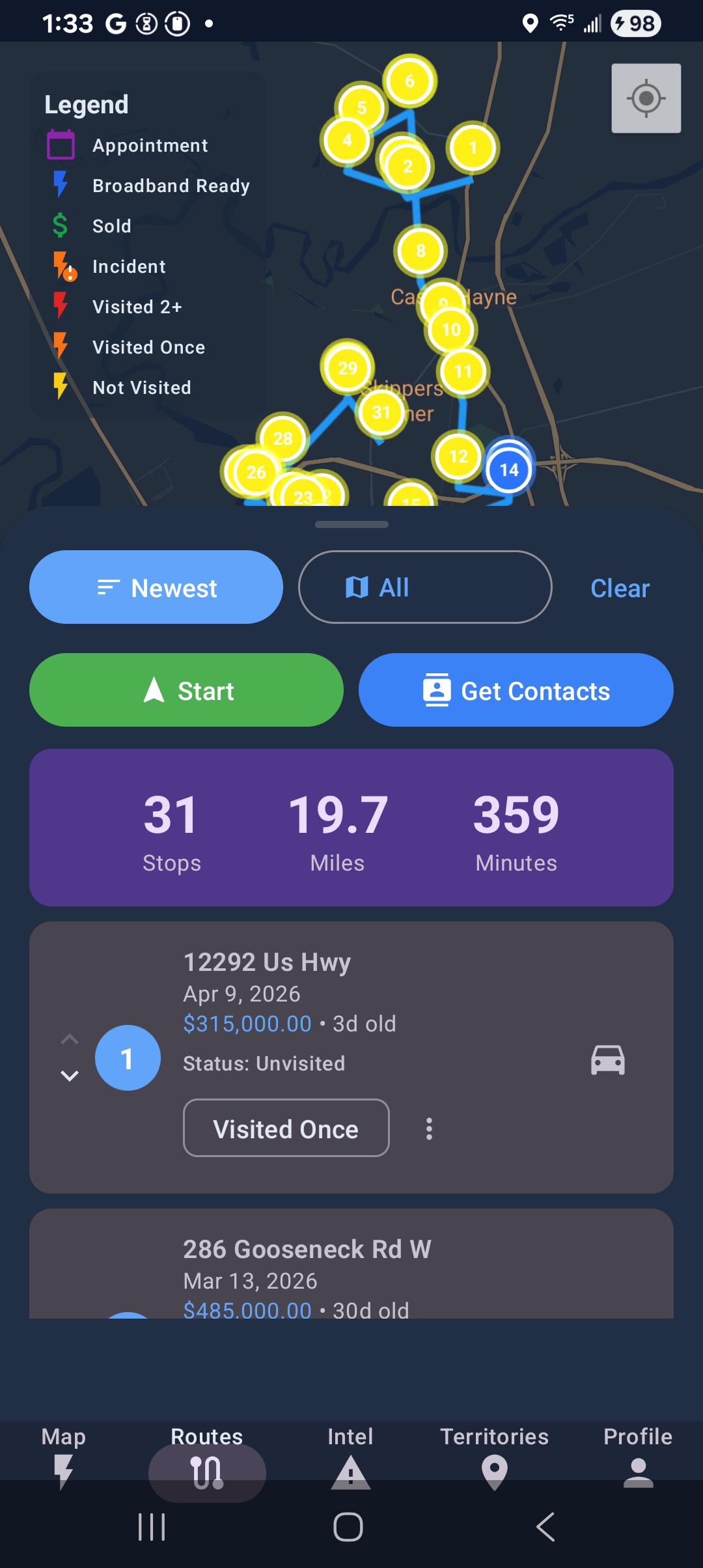
Build a route and unlock the next move faster

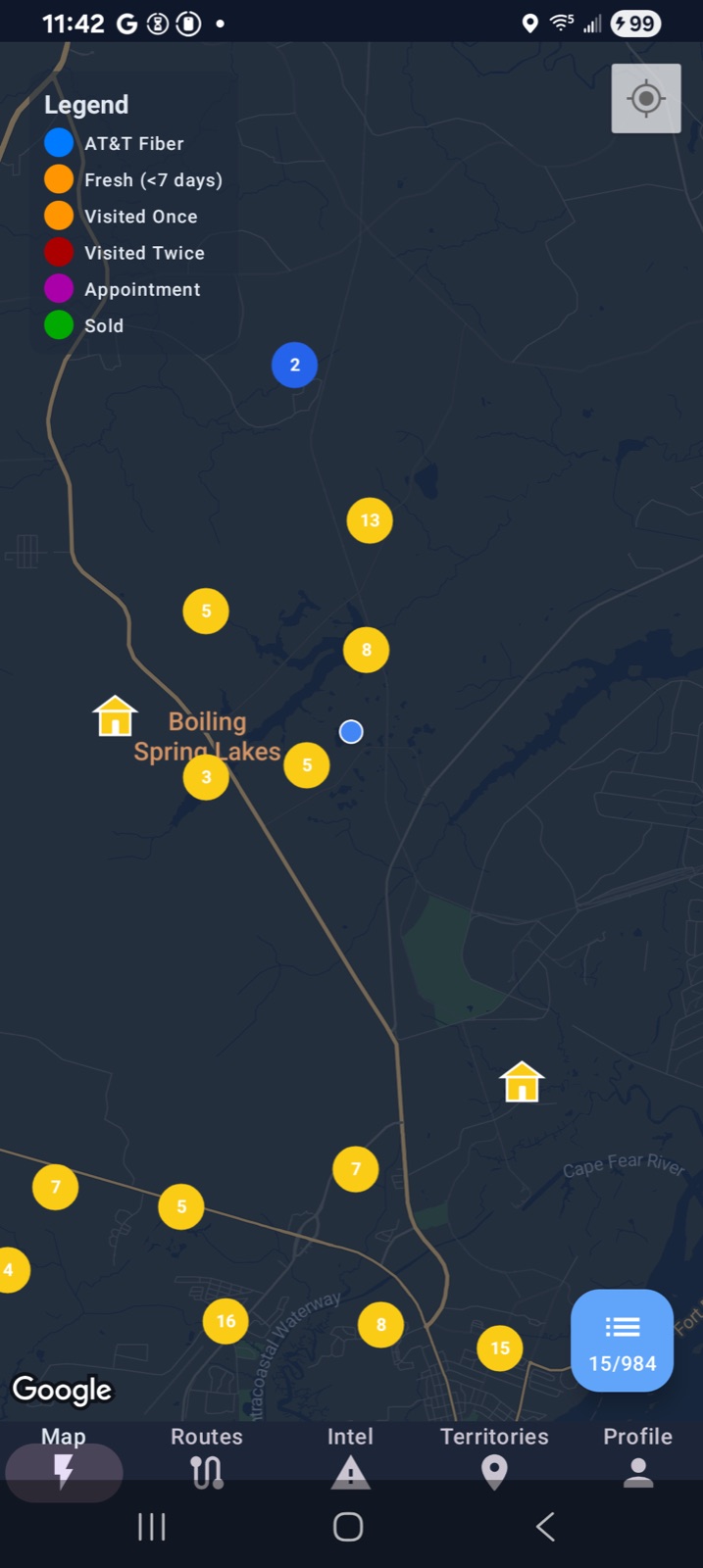
Find recent activity nearby, choose the next cluster, and keep route planning, contact pulling, and follow-up in one place.

Lightning Leads field map view with nearby leads and route planning

Preview

Build a first route

Open route tutorials →

Pick Your Market

Three straightforward starting points

Home security, fiber and telecom, and roofing are the clearest first markets. Pick the page that matches your team, then see pricing or start free in the app.

Priority Market 01

Home Security

Best for teams that need to skip protected homes, understand provider context, and keep reps from overlapping neighborhoods.

  • Protected vs. unprotected-home positioning
  • Provider-switch opportunity story
  • Rep territory control for managers

Best first buyerBranch manager or market owner running one clean neighborhood.

First proofProtected homes skipped, appointments set, and clean rep coverage by week two.

Priority Market 02

Fiber & Telecom

Best for buildout teams that need cleaner coverage, legacy-provider targeting, and a faster way to manage large seasonal canvassing crews.

  • Buildout-area rollout story
  • Legacy ISP switch-angle positioning
  • Street-level territory coverage for crews

Best first buyerCanvass manager or buildout lead responsible for take-rate in one new zone.

First proofCoverage rate, signups per shift, and how fast seasonal reps get productive.

Priority Market 03

Roofing

Best for storm-response and neighborhood canvassing teams that need better property targets and cleaner crew coordination.

  • Storm-response neighborhood targeting
  • Property-age and value-angle positioning
  • Crew coordination in temporary markets

Best first buyerStorm-response manager deploying a crew into one fresh weather market.

First proofInspection velocity, cleaner zone coverage, and fewer duplicate visits during the first storm window.

Secondary pages already exist for solar and pest control, but the first paid and outbound push should stay focused on the three markets above.

Want More Detail?

Open the full feature breakdown, tutorials, and buyer proof

The simple path is above. This section keeps the fuller walkthrough available for anyone who wants to look under the hood before deciding.

Toggle details

What reps use to build a cleaner route

Find better streets to knock, work recently sold homes, and keep field activity organized.

Core Features

Recently Sold Homes

See recently sold homes near your territory so the first route starts with stronger streets, not random blocks.

Contact Details

Pull the owner name, phone, and email right from the lead card, then call, email, or save the contact context without leaving the workflow.

Interactive Mapping

Visualize leads, customer context, neighborhood notes, and territories on a field-ready map.

Route Optimization

Build a cleaner stop sequence so reps spend less time guessing where to go next.

Performance Analytics

Track route activity, lead status, and team coverage so the next shift starts with better information.

Advanced Features

Neighborhood Insights

Use property and neighborhood context to decide which streets deserve the first hour of knocking.

Customer Contact Lookup

When a first knock turns into a real opportunity, Pro adds owner contact lookup so reps can reveal the right phone and email and follow up immediately.

Territory Management

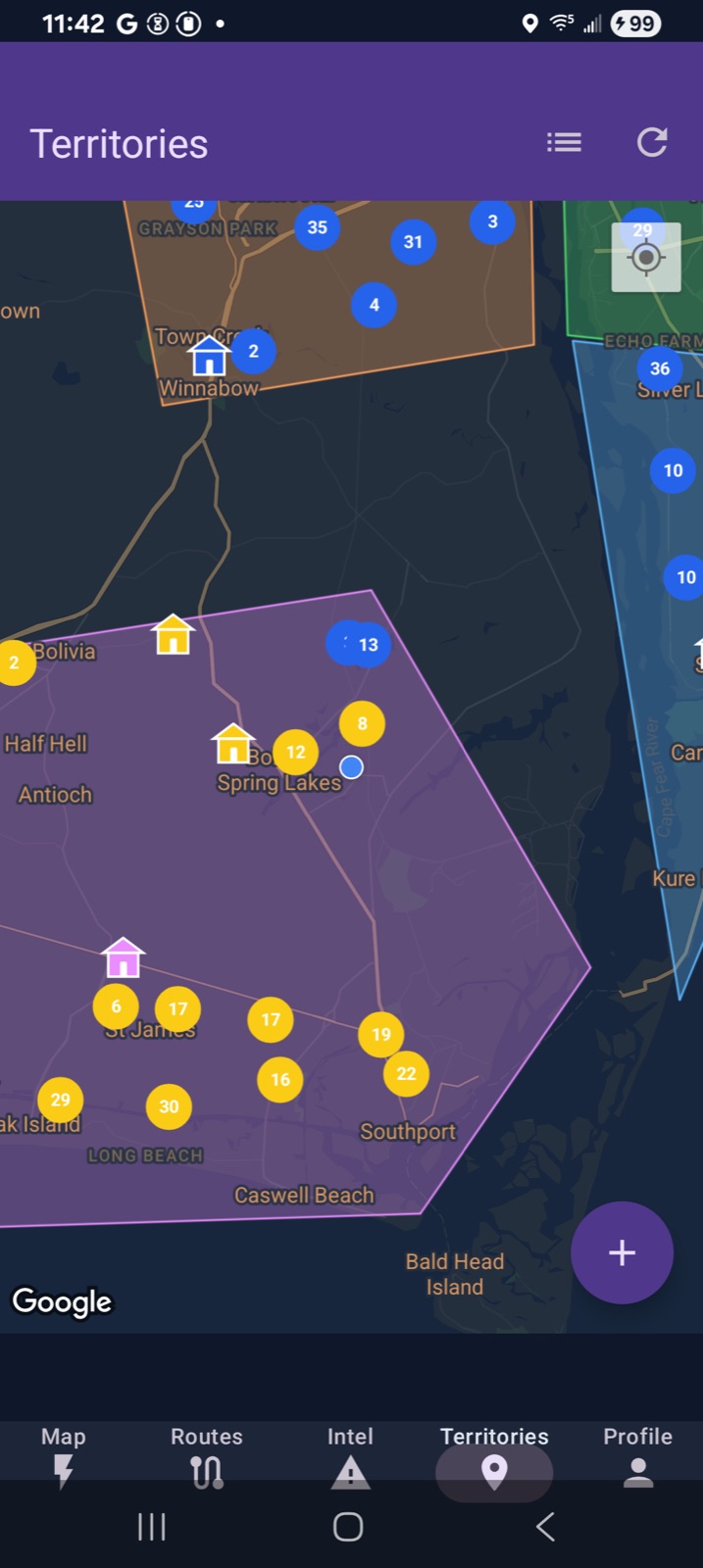
Draw territories, prevent rep overlap, and keep every street assigned to the right person.

Manager Visibility

Give managers a clear view of who is working which territory, what routes are being built, and what lead statuses are moving.

Industry Solutions

Useful for home security, solar, pest control, fiber, roofing, and other field teams that work door-to-door routes.

For Managers

Organize teams, assign territories, and keep rollout clean

Managers get a secure login to review dashboards, assign routes, and keep reps from overlapping neighborhoods.

Team Operations

Dashboard Control

Monitor team health, seats, and performance metrics with a glance.

Territory Intelligence

Smart Assignments

Map areas, assign responsibles, and keep territories balanced.

Security

Role-based Access

Managers, leads, and execs only see the data they need through secured access.

What reps get before the first knock

A

Better doors from the start

Start from recent sales, tighter clusters, and stronger street context instead of guessing where the shift should begin.

B

A route you can work now

Build the stop list quickly enough that the first hour stays in the neighborhood instead of getting lost in planning.

C

Contact-ready follow-up

Unlock phone numbers and notes in the same workflow so a strong stop can turn into a real follow-up while momentum is still high.

Route Walkthroughs

See how the first route gets built

Watch the app-choice route workflow before you take it into the field.

For reps

Phone-first walkthroughs for working the neighborhood fast

Use the mobile tracks to explain lead discovery, route planning, and territory execution without forcing buyers to imagine the workflow.

For managers

Web control-room tours for rollout confidence

Leadership can review assignments, subscriptions, and coverage logic before they ever ask for a custom walkthrough.

For conversion

Reusable route clips for the site and outreach

Use these clips to show the route workflow clearly without making unverified performance claims.

Getting Started on iOS

Master the basics and start using Lightning Leads on your iPhone or iPad.

Download Video →

Route Optimization (iOS)

Master route planning and territory mapping on iOS to maximize your efficiency.

Download Video →

Assigning Territories (iOS)

Learn how to assign territories to your sales reps for organized coverage.

Download Video →

Why It Sticks

A cleaner field workflow for reps and managers

This is the part that matters after the first route is built: reps stay in one workflow, managers keep rollout cleaner, and buyers can still inspect trust and pricing before they commit.

For Reps

Less planning, more knocking

The route, contact pull, notes, and next actions stay together so the day keeps moving once a rep leaves the truck.

Open tutorials →

For Managers

Cleaner rollout and coverage

Managers can assign territories, monitor routes, and keep reps from overlapping neighborhoods as the team scales.

For Buyers

Check fit before you pay

Review trust, integrations, pricing, and field playbooks after the route path is clear and before you roll it out wider.